
Renew passport online
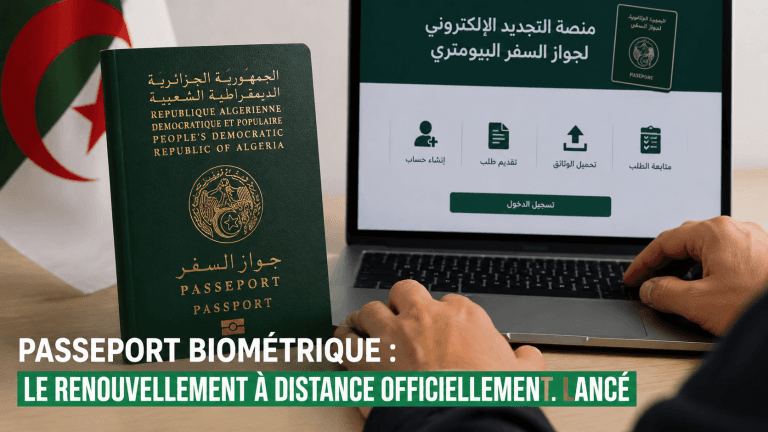
In order to facilitate administrative procedures and provide faster and more flexible electronic services, this digital platform has been established to enable Algerian citizens residing abroad to submit their applications for the renewal of their biometric passports remotely, in a simple and secure manner, without the need for repeated visits to the diplomatic mission or consular office.
This service enables citizens to submit their applications electronically, upload the required documents, track the processing stages of their applications, and check their application status through their personal account.
During its initial phase, the service is limited to the renewal of biometric passports that have expired or that will expire within the next six (6) months.
To benefit from this service, please review the following steps and follow the instructions provided for each stage.
How can you renew your biometric passport?
Step 1: What should I prepare before starting?
Before submitting your application online, you must prepare copies of the following documents:
-
The second page of the passport to be renewed (only the page containing the printed personal information).
-
Your Special Birth Certificate (12S).
-
A recent passport photograph that complies with the required standards (neutral background, uncovered face, etc.).
-
A copy of your residence certificate or proof of residence/address.
Step 2: How do I submit my application online?
-
Create an account or log in to an existing account.
-
Upload the second page of the passport to be renewed (information page).
-
Complete the application form (diplomatic mission or consular office, address, telephone number, etc.).
-
Upload the remaining required documents.
-
Verify the information provided, then confirm and submit your application.
Step 3: What happens after the application is registered and submitted?
-
Your application will be reviewed by the relevant services of the diplomatic mission or consular office.
-
You will receive an email confirming receipt of your application.
-
In the event of any delay, you may contact the relevant diplomatic mission or consular services for further information.
Step 4: How and where are the fees paid?
Once your application has been reviewed and you have received confirmation, you must proceed with the payment of the applicable passport renewal fees.
The amount to be paid depends on the applicant’s situation and the type of passport requested.
For more information about the applicable fees and to access the payment service, please click the button below.
[View fees and proceed to payment]
Step 5: How do I confirm my payment?
Once you have completed the payment through the dedicated payment platform:
- Log in to your personal account on the passport renewal platform.
- Upload a copy of the payment receipt or proof of payment.
- Verify that the uploaded document is clear and legible.
- Submit the payment confirmation for verification by the relevant service.
Step 6: Payment confirmation and application receipt
Once the payment has been completed and confirmed by the relevant service, your application status will be updated and you will receive an application submission receipt, which will be available in your personal account.
You will then be able to track the progress of your application online.